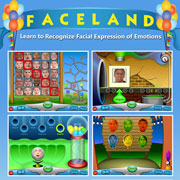
Click on the Play Faceland button below to load the game. When the game is ready to play click Start on the Faceland screen and all schools and games will display on the Faceland map. You can click on any school or game on the map to go to it.
To make Faceland full screen click the F11 key (or Fn/F11 keys for computer keyboards). To return to smaller screen size click F11 (or Fn/F11) again.